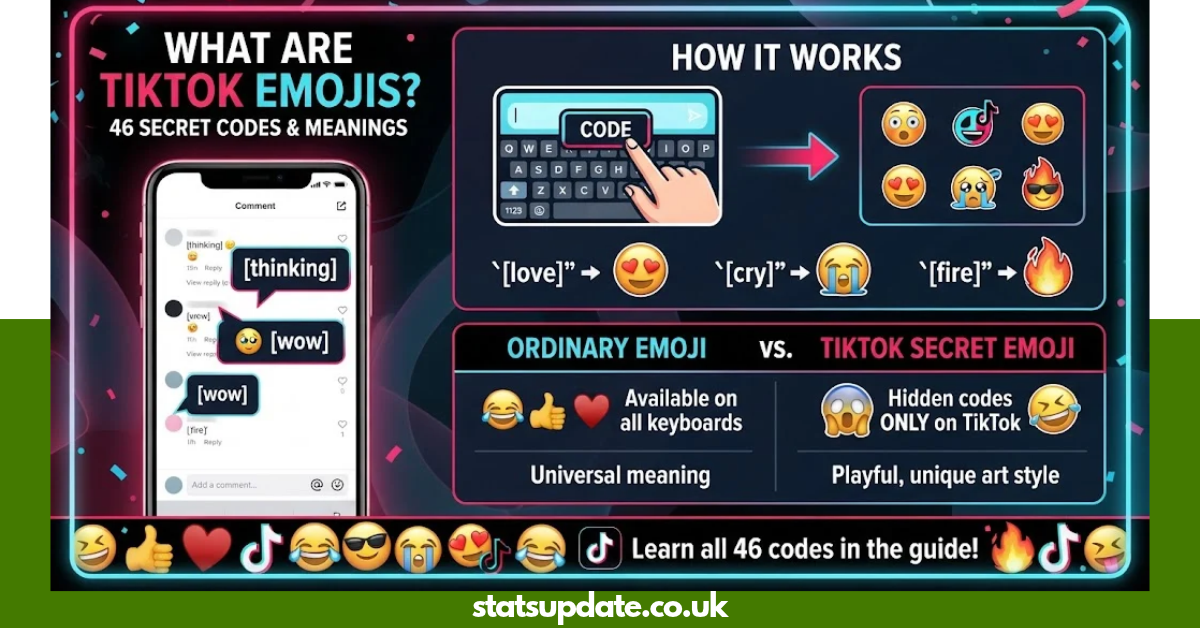
Have you ever seen a TikTok comment with a strange little face that does not appear on your normal phone keyboard? Those are tiktok emojis, including hidden emoji-style graphics that can appear when users enter special words inside square brackets. They give comments and captions a playful look and make reactions feel more personal. TikTok also supports ordinary emoji, so knowing the difference helps you choose the right symbol for each post.
What Are TikTok Emojis Used For?
TikTok emojis are visual symbols used to show emotions, reactions, humor, mood, or personality.
They can appear in:
- TikTok comments
- Video captions
- Replies
- Direct messages
- Community conversations
- Reactions to funny or emotional videos
TikTok’s official help center confirms that users can comment on posts and interact through the comment system. Comment controls can also be managed from TikTok’s privacy settings.
There are two broad types to understand:
- Standard emoji such as 😂, ❤️, 😭, 🔥, and 🥰.
- Hidden TikTok emoji codes, which use bracketed shortcodes such as [smile] or [happy].
How Do TikTok Secret Emojis Work?
The hidden system uses a shortcode surrounded by square brackets.
For example, a user can type:
[smile]
When the feature is supported, TikTok can turn the shortcode into its custom emoji-style graphic.
These are different from Unicode emoji. Unicode defines the technical characters and sequences used across phones, computers, apps, and websites, while individual platforms can create their own visual treatments and features.
Complete TikTok Emojis Codes and Meanings
Here is a practical tiktok emojis list with the commonly documented hidden shortcodes and their general uses.
| # | Secret Code | Meaning | Best Use |
| 1 | [smile] | Happiness or friendliness | Positive comments |
| 2 | [happy] | Excitement and joy | Good news |
| 3 | [angry] | Anger or frustration | Annoying situations |
| 4 | [cry] | Sadness or emotional pain | Sad videos |
| 5 | [embarrassed] | Shyness or awkwardness | Embarrassing moments |
| 6 | [surprised] | Shock or surprise | Unexpected moments |
| 7 | [wronged] | Feeling hurt or treated unfairly | Dramatic reactions |
| 8 | [shout] | Loud excitement or emotion | Dramatic comments |
| 9 | [flushed] | Blushing or embarrassment | Cute moments |
| 10 | [yummy] | Enjoyment of food | Food videos |
| 11 | [complacent] | Relaxed or satisfied mood | Casual reactions |
| 12 | [drool] | Desire or temptation | Food or attractive things |
| 13 | [scream] | Fear, shock, or strong emotion | Surprising videos |
| 14 | [weep] | Strong sadness | Emotional content |
| 15 | [speechless] | No words or disbelief | Amazing moments |
| 16 | [funnyface] | Silly or playful mood | Funny videos |
| 17 | [laughwithtears] | Very strong laughter | Extremely funny clips |
| 18 | [wicked] | Mischievous or naughty mood | Playful reactions |
| 19 | [facewithrollingeyes] | Annoyance or disbelief | Ridiculous comments |
| 20 | [sulk] | Displeasure or pouting | Mild anger |
| 21 | [thinking] | Thinking or questioning | Curious reactions |
| 22 | [lovely] | Affection or appreciation | Sweet moments |
| 23 | [greedy] | Wanting more | Food or playful comments |
| 24 | [wow] | Amazement | Impressive content |
| 25 | [hehe] | Light laughter | Playful replies |
| 26 | [joyful] | Strong happiness | Celebrations |
| 27 | [slap] | Shock or playful disbelief | Funny reactions |
| 28 | [tears] | Crying or emotional response | Sad moments |
| 29 | [stun] | Being stunned | Unexpected news |
| 30 | [cute] | Cuteness or affection | Pets and cute videos |
| 31 | [blink] | Playful or cheeky reaction | Light teasing |
| 32 | [disdain] | Disapproval or dislike | Negative reactions |
| 33 | [astonish] | Great surprise | Impressive moments |
| 34 | [rage] | Intense anger | Strong frustration |
| 35 | [cool] | Confidence or a cool attitude | Stylish content |
| 36 | [excited] | High excitement | Announcements |
| 37 | [proud] | Pride or accomplishment | Achievements |
| 38 | [smileface] | Cheerful mood | Friendly replies |
| 39 | [evil] | Mischievous or villain-like mood | Jokes |
| 40 | [angel] | Innocence or sweetness | Cute reactions |
| 41 | [laugh] | Laughter | Funny comments |
| 42 | [pride] | Pride or confidence | Celebrations |
| 43 | [nap] | Sleepiness or tiredness | Late-night posts |
| 44 | [loveface] | Love or strong affection | Romantic content |
| 45 | [awkward] | Awkwardness | Uncomfortable moments |
| 46 | [shock] | Shock or disbelief | Surprising content |
Current reference lists document 46 hidden TikTok codes, including the codes above.
Are All 46 TikTok Emoji Codes Officially Documented by TikTok?
Not in TikTok’s public Help Center documentation that is currently available. TikTok officially documents its commenting system, but the public support material does not provide a complete 46-code shortcode directory.
For that reason, it is better to describe the 46-code list as a commonly documented hidden TikTok emoji set, rather than claiming that TikTok officially publishes the entire list.
How to Use TikTok Emojis in Comments
Using tiktok emojis is simple when the hidden shortcode feature is available in your version of the app.
Step 1: Open TikTok
Launch the TikTok app and find the video where you want to comment.
Step 2: Open the Comment Box
Tap the comment icon and select the field where you normally type a comment.
Step 3: Enter the Code
Type a shortcode exactly as shown, including the square brackets.
Example:
[happy]
Step 4: Post the Comment
If TikTok recognizes the shortcode, it may display the custom emoji after you submit the comment.
If the code remains visible as plain text, the feature may not be available in that context, or TikTok may have changed the supported shortcode set.
Can You Use TikTok Emojis in Captions?
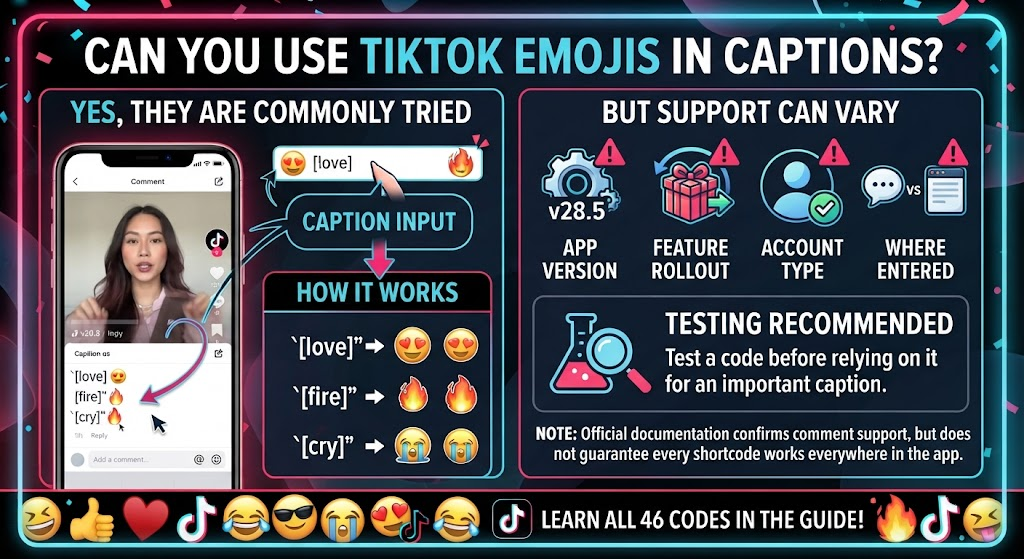
Yes, users commonly try hidden shortcode-style emojis in captions as well as comments. However, support can vary by app version, feature rollout, account, and where the text is entered.
TikTok’s official documentation confirms that comments can be posted and managed, but it does not currently provide a public guarantee that every hidden shortcode will work everywhere in the app.
This means you should test a code before relying on it for an important caption.
TikTok Emojis vs Regular Phone Emojis
The two systems may look similar, but they work differently.
| Feature | Hidden TikTok Emojis | Standard Unicode Emoji |
| Example | [smile] | 😀 |
| Source | Platform feature | Unicode standard |
| Keyboard availability | Usually hidden | Usually built into keyboard |
| Works across apps | Not necessarily | Generally yes |
| Custom TikTok appearance | Yes | Depends on platform |
| Code required | Sometimes | No |
| Main purpose | TikTok reactions and style | General digital communication |
Unicode explains that emoji are pictographs represented through Unicode characters and sequences. Their exact appearance can vary between platforms and implementations.
What Do TikTok Emojis Mean?
The meaning of an emoji depends on the graphic, surrounding text, culture, and conversation.
For example:
- [smile] can make a reply feel friendly.
- [cry] can show sadness or emotional impact.
- [wow] can emphasize surprise.
- [thinking] can suggest doubt or curiosity.
- [cute] works well with pets and adorable videos.
- [laughwithtears] can show that something is extremely funny.
- [angry] can show frustration.
- [loveface] can add affection to a romantic comment.
Unicode also notes that an emoji does not necessarily have one fixed meaning. Context can change how people understand the same symbol.
What Are the Most Popular TikTok Emoji Codes?
If you only want a few codes to remember, start with these:
| Code | Meaning | Example Situation |
| [smile] | Happy | Friendly reply |
| [happy] | Very happy | Great news |
| [cry] | Sad | Emotional video |
| [laughwithtears] | Very funny | Comedy clip |
| [loveface] | Love | Romantic post |
| [cute] | Cute | Pet video |
| [wow] | Amazement | Amazing result |
| [thinking] | Thinking | Questionable statement |
| [angry] | Frustration | Bad situation |
| [cool] | Confidence | Stylish content |
These codes are repeatedly included in current hidden-emoji reference lists.
How to Copy and Paste TikTok Emojis
Copying the shortcode is useful when you do not want to type it manually.
For example:
- Copy [smile].
- Open TikTok.
- Go to a comment or supported text field.
- Paste the code.
- Submit the text.
- Check whether TikTok converts it into the custom emoji.
Remember that copying a shortcode does not guarantee that every TikTok interface will convert it. If TikTok leaves the brackets visible, use a standard emoji instead.
Why Are TikTok Emojis Different From Unicode Emojis?
TikTok can display its own custom visual elements while standard emoji are based on Unicode characters and sequences.
Unicode’s current Emoji 18.0 specification defines the structure and data for emoji characters and sequences. It also recognizes that different platforms can render the same underlying emoji differently.
That is why a standard emoji such as 😂 can appear slightly different on an iPhone, Android phone, browser, or another platform.
Hidden TikTok emoji codes are a separate platform-specific experience.
Can TikTok Emojis Stop Working?
Yes. A shortcode may sometimes appear as ordinary text instead of becoming a custom graphic.
Possible reasons include:
- TikTok changed the supported shortcode list.
- The feature is unavailable in that particular text field.
- Your TikTok app needs an update.
- The shortcode was typed incorrectly.
- TikTok changed how the feature works.
- The feature is unavailable for your account or region.
- The code is no longer supported.
Because platform features can change, avoid treating an online list of codes as permanent.
Why Does a TikTok Emoji Show as Text?
If [smile] or another code stays visible instead of turning into a graphic, do not assume that you typed it incorrectly.
First, check that:
- The code uses square brackets.
- The spelling is correct.
- There are no extra spaces inside the brackets.
- TikTok is updated.
- You are using a supported TikTok text field.
- Another known shortcode works.
If none of the codes convert, the feature may not currently be available in that context.
How to Choose the Right TikTok Emoji
Good emoji choices depend on the message you want to communicate.
For happy content
Try:
- [smile]
- [happy]
- [joyful]
- [lovely]
For funny content
Try:
- [laugh]
- [laughwithtears]
- [funnyface]
- [hehe]
For emotional content
Try:
- [cry]
- [weep]
- [tears]
- [wronged]
For surprise
Try:
- [wow]
- [surprised]
- [astonish]
- [shock]
For attitude
Try:
- [cool]
- [wicked]
- [evil]
- [proud]
The goal is not to add as many symbols as possible. One well-matched reaction often communicates more clearly than a long string of unrelated emojis.
TikTok Emojis and Standard Emoji Examples
You can also combine hidden codes with regular Unicode emoji when both are supported.
| Hidden Code | Standard Emoji | Possible Message |
| [happy] | 🎉 | Celebration |
| [loveface] | ❤️ | Love or affection |
| [laughwithtears] | 😂 | Very funny |
| [cute] | 🥰 | Cute moment |
| [wow] | ✨ | Impressive result |
| [cry] | 😭 | Emotional reaction |
| [cool] | 😎 | Confident mood |
| [thinking] | 🤔 | Question or doubt |
Standard emoji are defined through the Unicode ecosystem, while their visual designs are implemented by individual platforms.
Are TikTok Emojis Available on iPhone and Android?
Hidden TikTok emoji codes have been documented as working on both iOS and Android versions of the TikTok app. However, availability can change as TikTok updates its features.
Standard emoji have broader compatibility because they are based on Unicode characters and sequences rather than a TikTok-only shortcode system.
If a hidden code fails, a normal Unicode emoji is usually the safer choice for cross-platform communication.
TikTok Emojis for Comments, Captions, and Messages
Different types of content call for different reactions.
Comments
Use short reactions such as:
[wow]
[cute]
[laughwithtears]
Captions
Use an emoji that supports the mood of the video rather than distracting from the main message.
Messages
For private conversations, affectionate or playful options can make short replies feel warmer.
TikTok’s official support pages confirm that comments are part of the platform’s interaction system and that creators can control who can comment on their posts.
Are TikTok Emojis the Same as Emoticons?
No.
An emoji is generally a pictographic character or sequence, while an emoticon traditionally uses ordinary text characters to create an expression, such as :-).
Unicode explains this distinction and notes that the terms are sometimes used loosely in everyday communication.
TikTok’s hidden emoji graphics may look like expressive emoticons, but the bracketed shortcode system is a platform-specific feature.
How TikTok Emojis Improve Comments
A short comment can sometimes feel flat without visual context.
Compare:
Text only:
“That was funny.”
With a standard emoji:
“That was funny 😂”
With a hidden shortcode:
“That was funny [laughwithtears]”
The visual reaction adds tone and makes the message easier to understand at a glance.
Still, context matters. Unicode specifically notes that emoji meanings can change based on language, culture, and the situation in which they appear.
Helpful Tips for Using TikTok Emojis
Keep your use natural with these simple tips:
- Choose an emoji that matches your message.
- Do not fill every sentence with symbols.
- Test hidden codes before using them in important posts.
- Use standard Unicode emoji when compatibility matters.
- Keep the shortcode spelling exact.
- Use different reactions for different moods.
- Avoid assuming one emoji has only one meaning.
- Update TikTok if features are not behaving normally.
- Remember that TikTok can change platform features over time.
Frequently Asked Questions
TikTok emojis include standard emoji used on TikTok and custom hidden emoji-style graphics activated through bracketed shortcodes. Examples include [smile], [happy], and [cry].
Current reference lists commonly document 46 hidden TikTok emoji codes. The list includes codes such as [smile], [happy], [angry], [cute], [cool], and [loveface].
Type the shortcode in square brackets, such as [smile], in a supported TikTok text field. If the feature is active and the code is supported, TikTok can convert it into the custom emoji graphic.
The code may be unsupported in that text field, changed by TikTok, incorrectly typed, or unavailable because of an app or account difference. Try updating TikTok and testing another known code.
Hidden TikTok emoji codes have been documented for both iOS and Android. Availability can still vary as TikTok changes its app features.
Regular emojis are based on Unicode characters and sequences and are designed for broad digital compatibility. Hidden TikTok emojis use TikTok-specific shortcodes and custom graphics, so their availability is more platform-dependent.
Conclusion:
TikTok emojis give creators and viewers another way to express humor, excitement, love, surprise, sadness, and personality. The hidden shortcode system is especially useful when you want something different from the normal phone emoji keyboard.
Start with a few simple codes such as [smile], [happy], [laughwithtears], [cute], and [wow]. If a hidden code does not convert, use a standard Unicode emoji instead and check TikTok’s current app behavior rather than relying on an old shortcode list.